Products
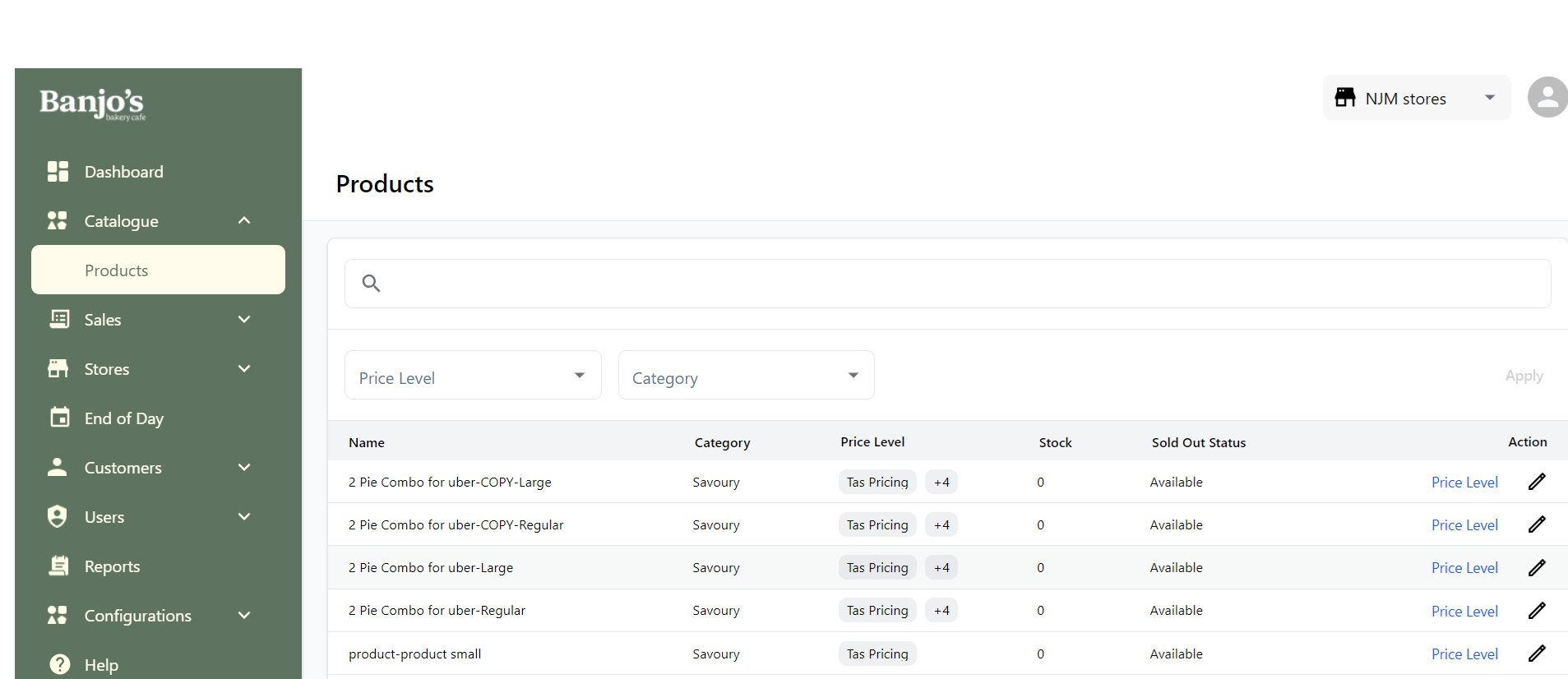
List all products mapped to the store
Here we have the list of all products mapped to the store. For a product with variants, it will be displayed at variant's level. We also have its stock, sold-out status, and price level details.
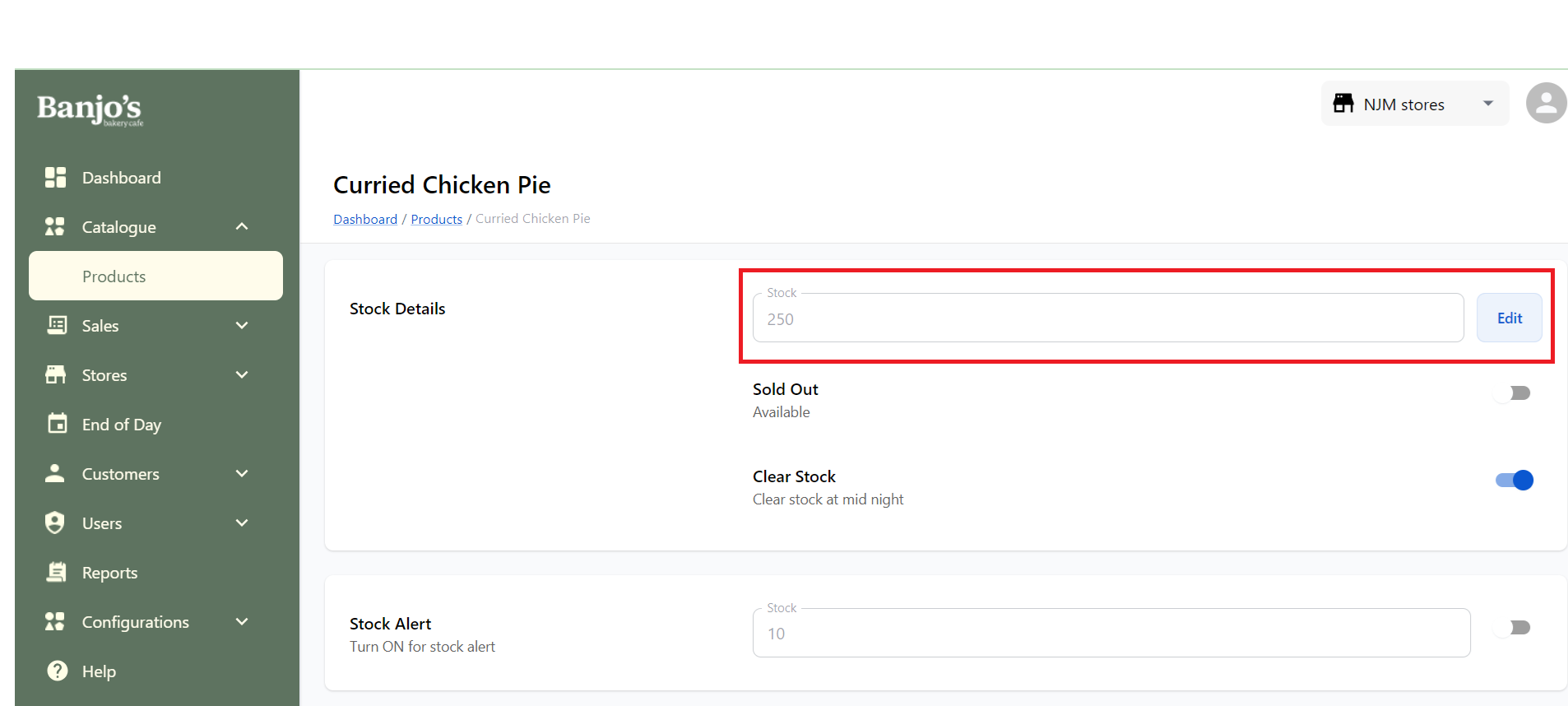
Stock Management
User can manage(view and update) stock count of products from here.
Availability Management / Sold-out status updation
User can mark a product as sold-out from store admin panel. Sold-out products will be greyed-out in POS sales window. Sold out scenarios are as follows:
| Today Only | The prodcut will not be available for the current day |
| 1 hour | The prodcut will not be available for one hour |
| Indefinitely | The prodcut will not be available for an indefinite period of time. |
| Sold out Until -- -- | The prodcut will not be available until a specific date and time. |
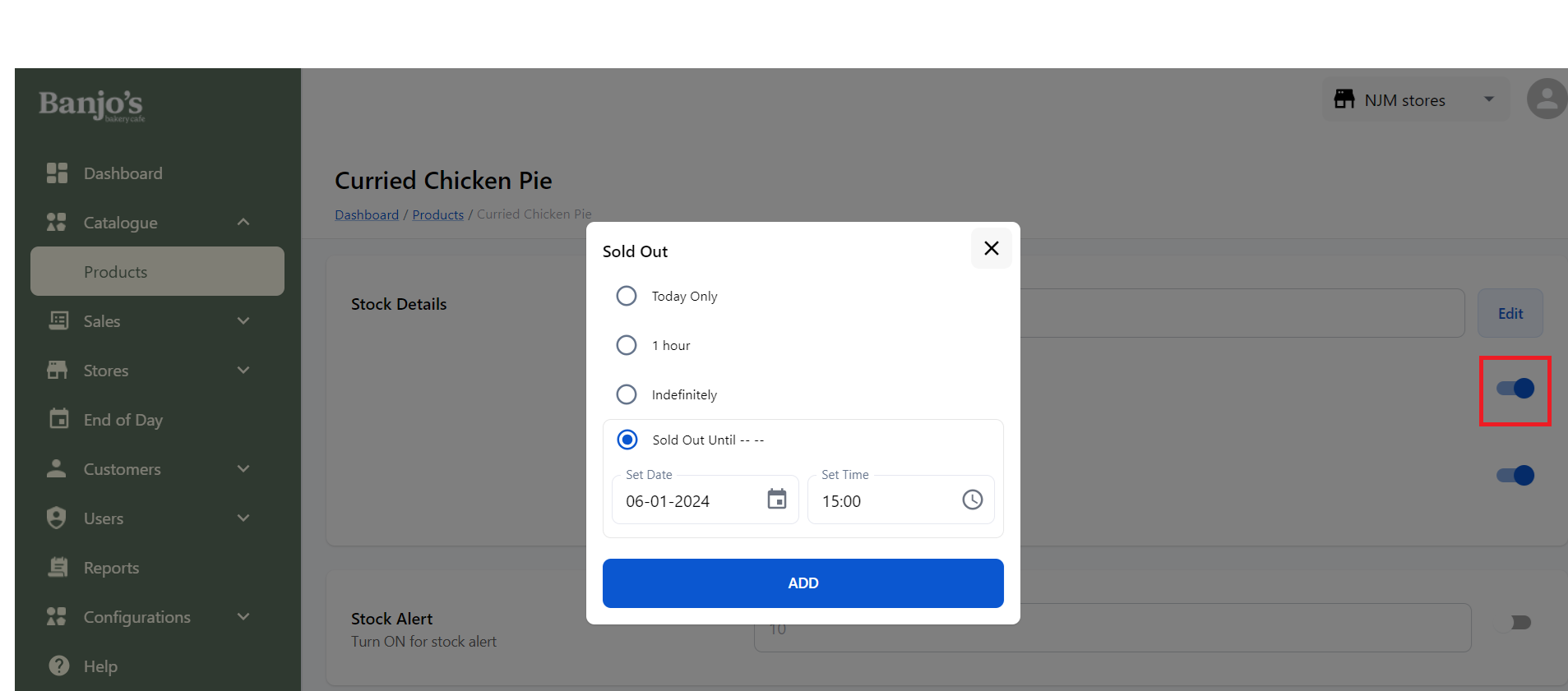
Except for the "Indefinitely" option, for all other options, the product will get back to available after the set time period. In "Indefinitely" case, user needs to manually off the stock-out switch from here or from POS.
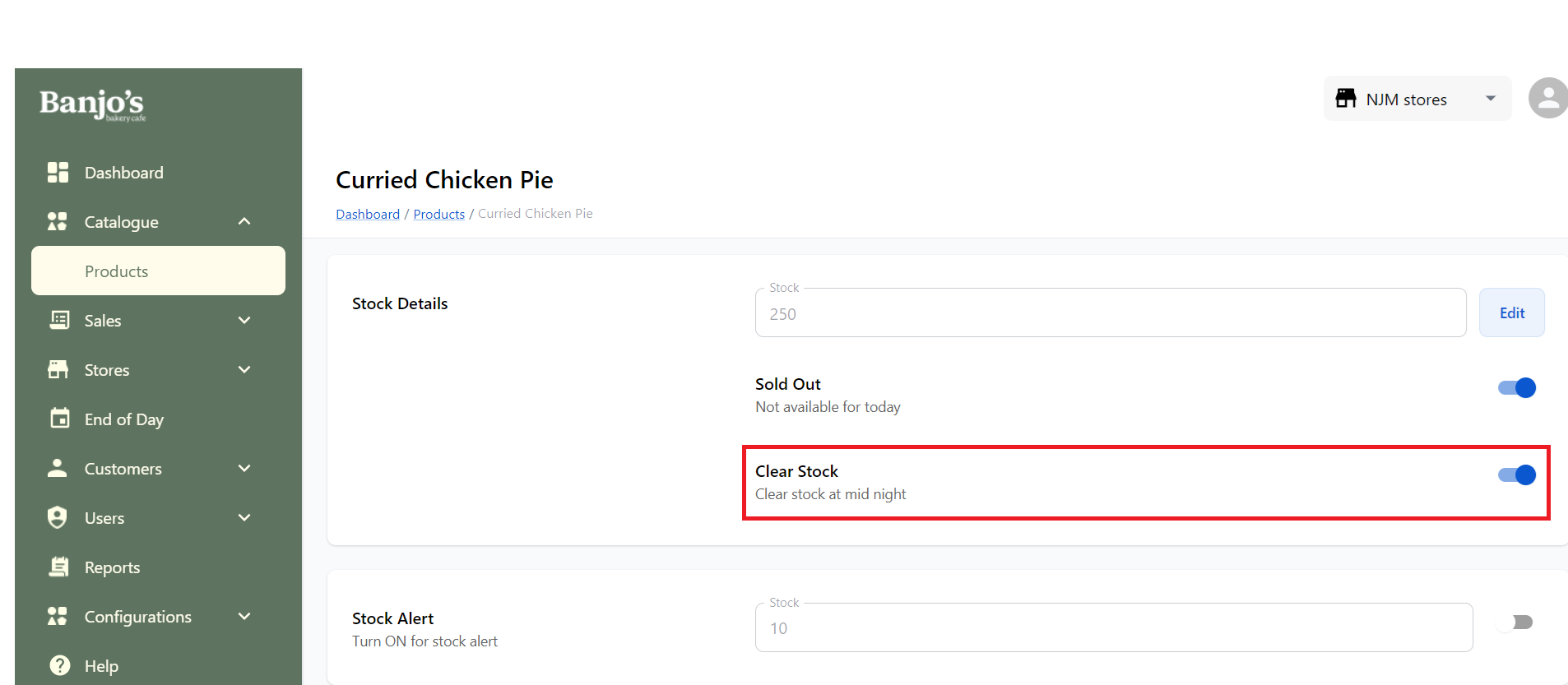
Clear stock
When clear stock is enabled, the stock count of the product will be set to 0 at midnight.
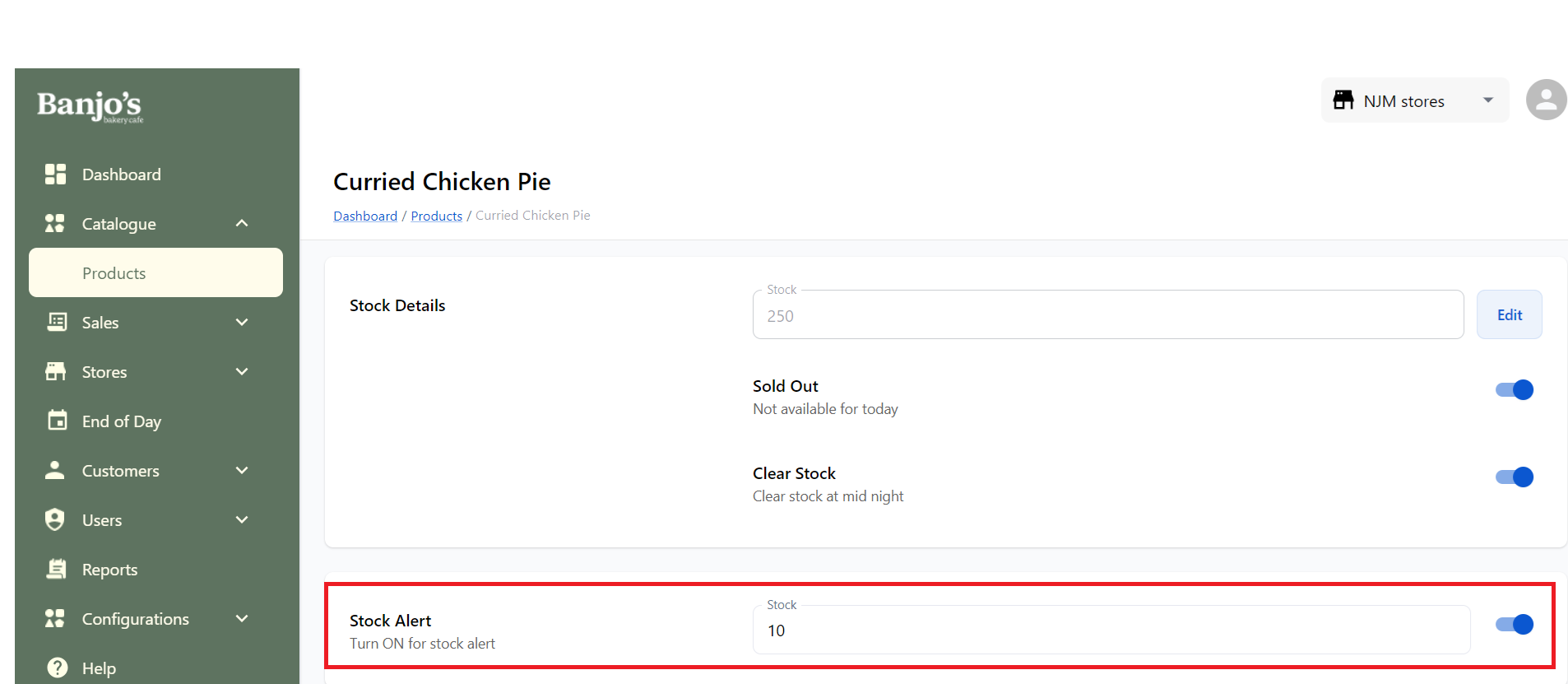
Stock Alert
User can set stock-alert so that it will be shown in POS for the product.