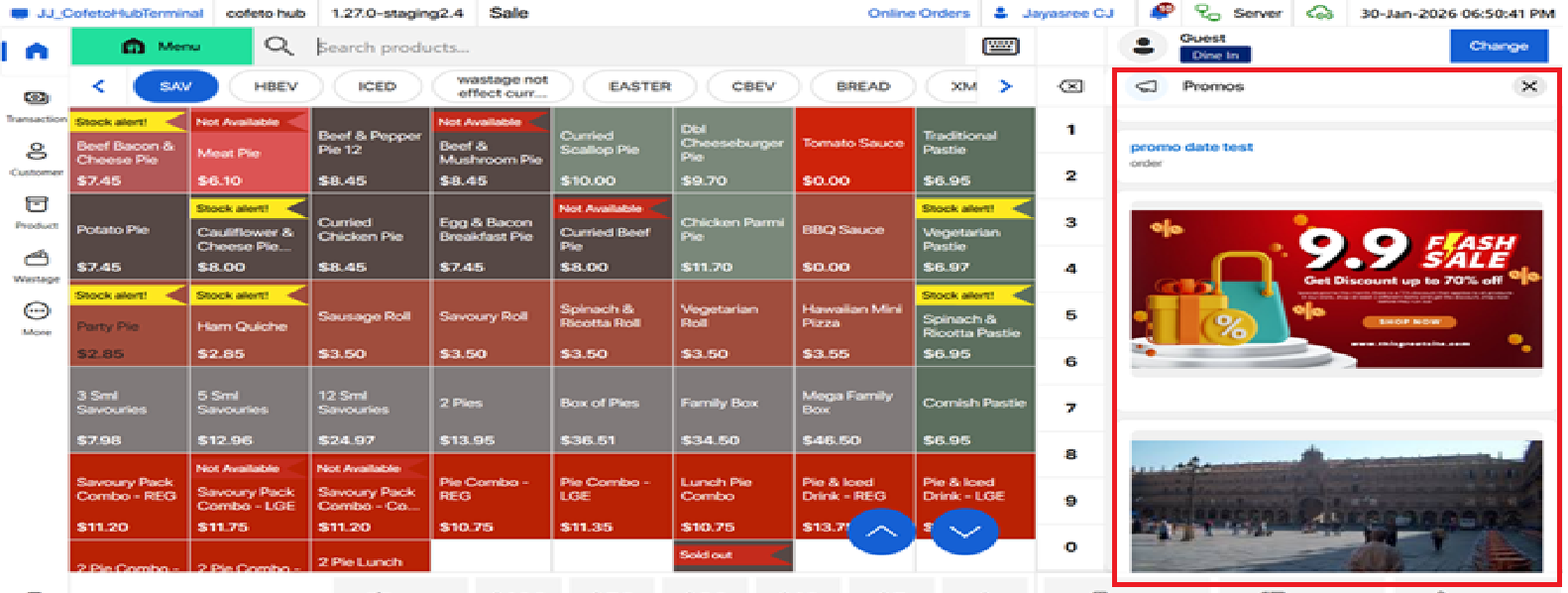
Promos appear in the cart area when no sale is in progress. When a sale begins, the promo section automatically closes and reappears after the sale completes and the cart empties. Users can manually close the section at any time or access it during a sale by clicking the Promos tab.
Only Published promos mapped to the store and within the valid date range will be displayed.
Notifications
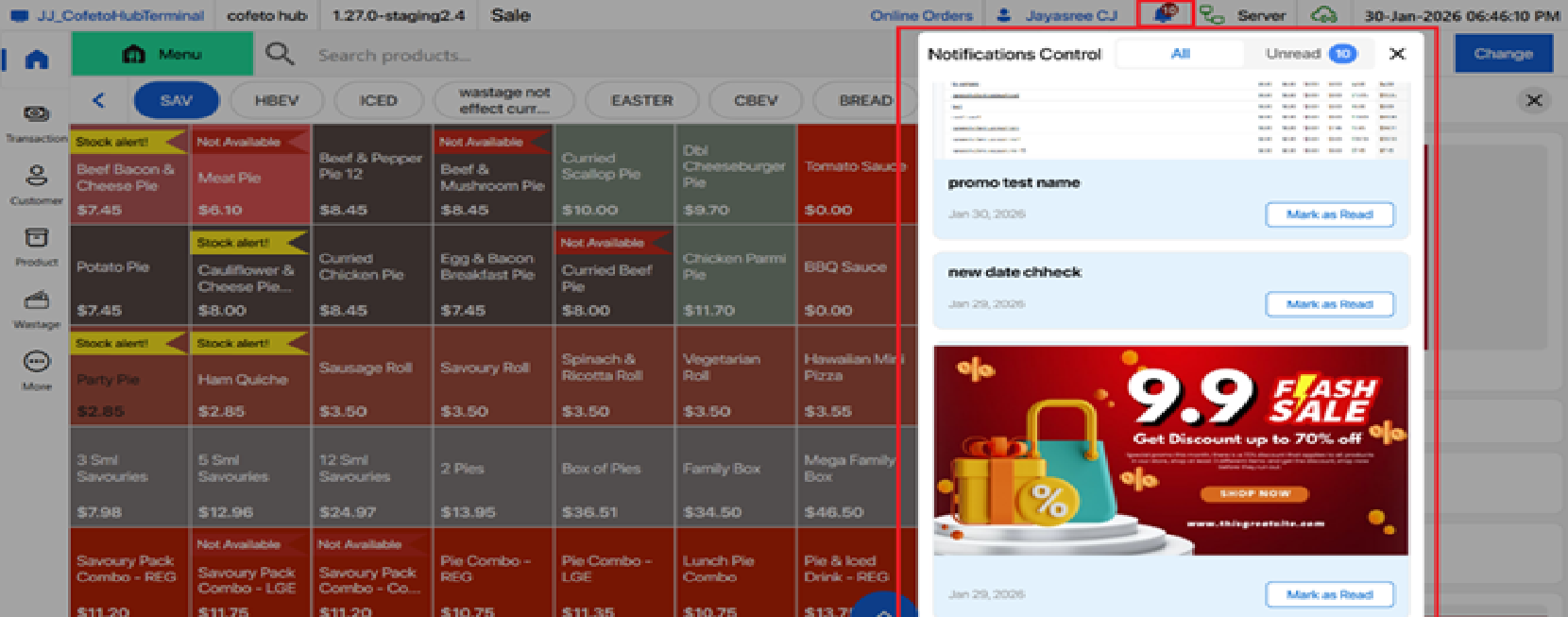
A notification icon displays the count of unread notifications (if any) for the staff.
On first login of a staff, each day, the notification pop-up opens automatically if there are unread notifications. Staff can close it and view notifications later by tapping the notification icon.