Surcharges
Surcharges are configured from admin panel so that they can be used to charge extra for some orders.
Please note that delivery charges for online ordering are not managed from this configuration.
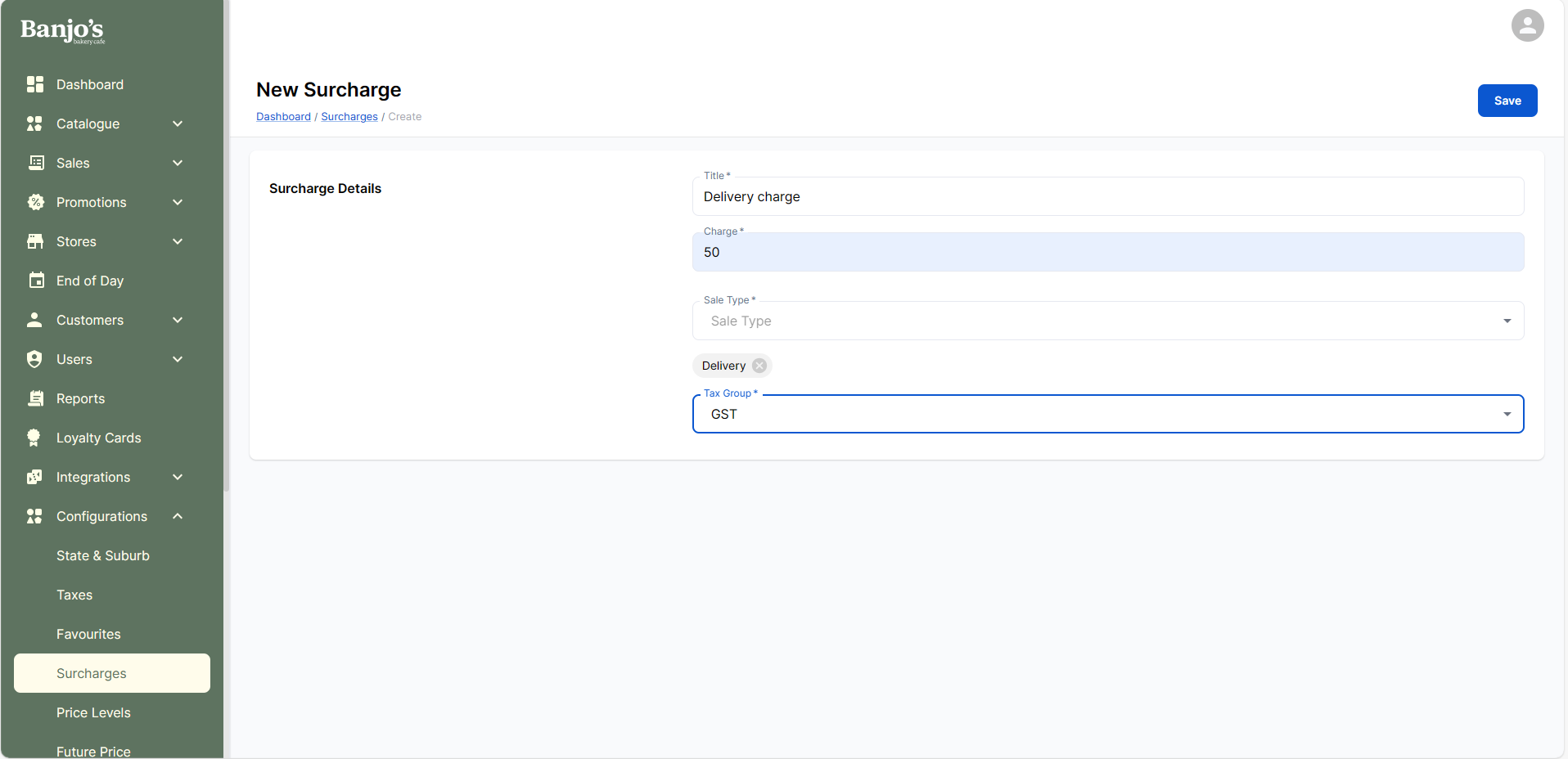
| Title * | The title/label to be used to refer it in admin/pos. |
| Category * | Surcharges can be configured as either “Delivery” or “General.” For each category, only one surcharge will be applied to an order. For POS orders where delivery charges need to be applied, the surcharge type should be set to “Delivery,” whereas for scenarios such as public holiday surcharges, the type should be set to “General.” |
| Charge * | The surcharge can be configured either as a fixed amount (in dollars) or as a percentage (%). In the case of a percentage, the surcharge will be calculated based on the total cart amount. For discount applied order - the value should be calculated against the coupon/discounted applied amount, i.e against the discounted amount. |
| Sale Channel * | The sale channel(s) for which the surcharge is applicable. |
| Sale type * | The sale types for which the surcharge is applicable. |
| Tax group* | Tax group for the surcharge. |
| Auto apply to in-store orders | Enable this if the surcharge should be automatically applied to in-store orders without requiring staff to manually add it. Note: For Online Ordering, applicable surcharges are always auto-applied. An explicit auto-apply configuration is not required for online orders. |
| Apply Charge Only on Public Holidays | Enable this if this surcharge should be applied only for orders done on public holidays. |
| Is this Surcharge refundable? | When an order that includes this surcharge is refunded, the surcharge amount will be refunded only if this option is enabled. |
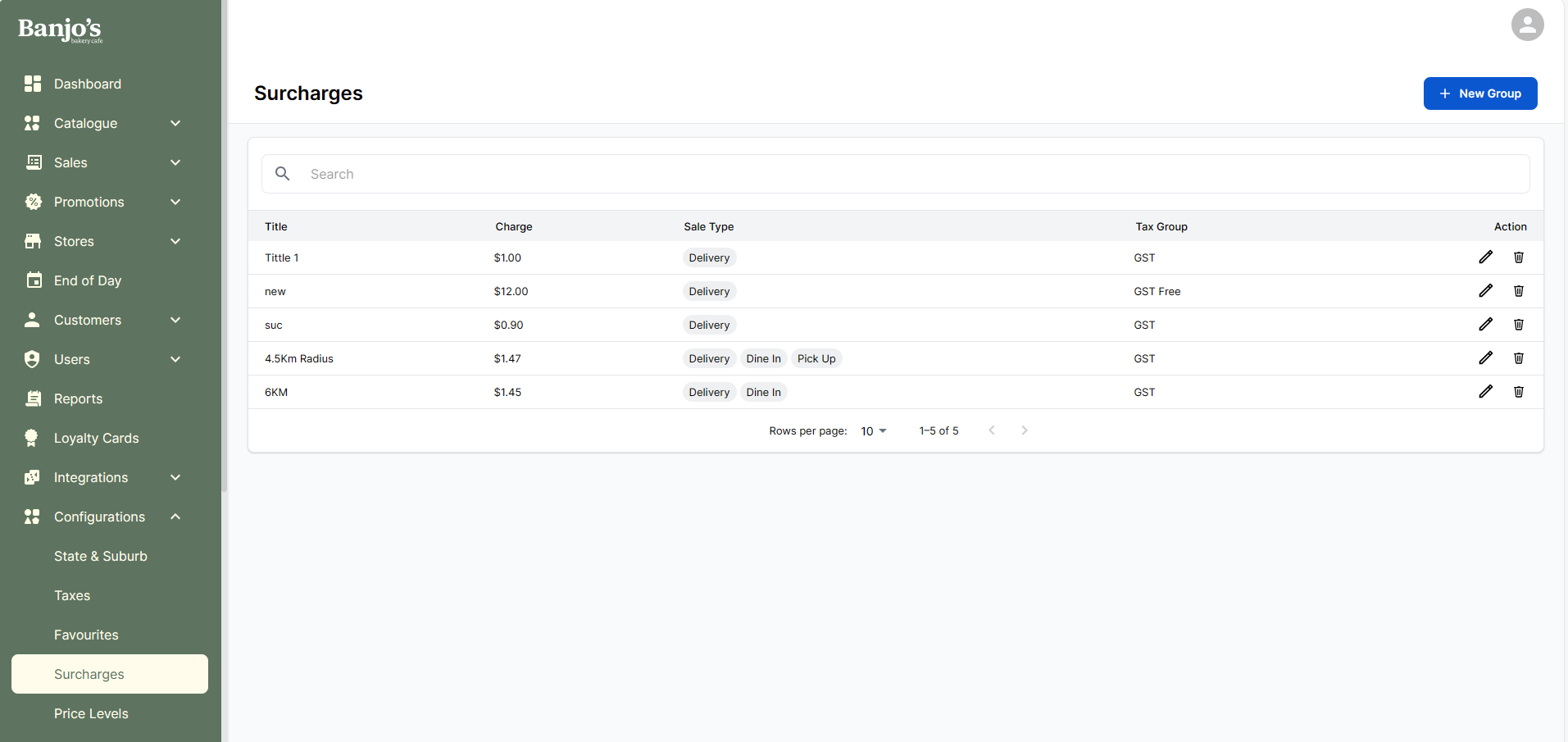
Create new surcharge.
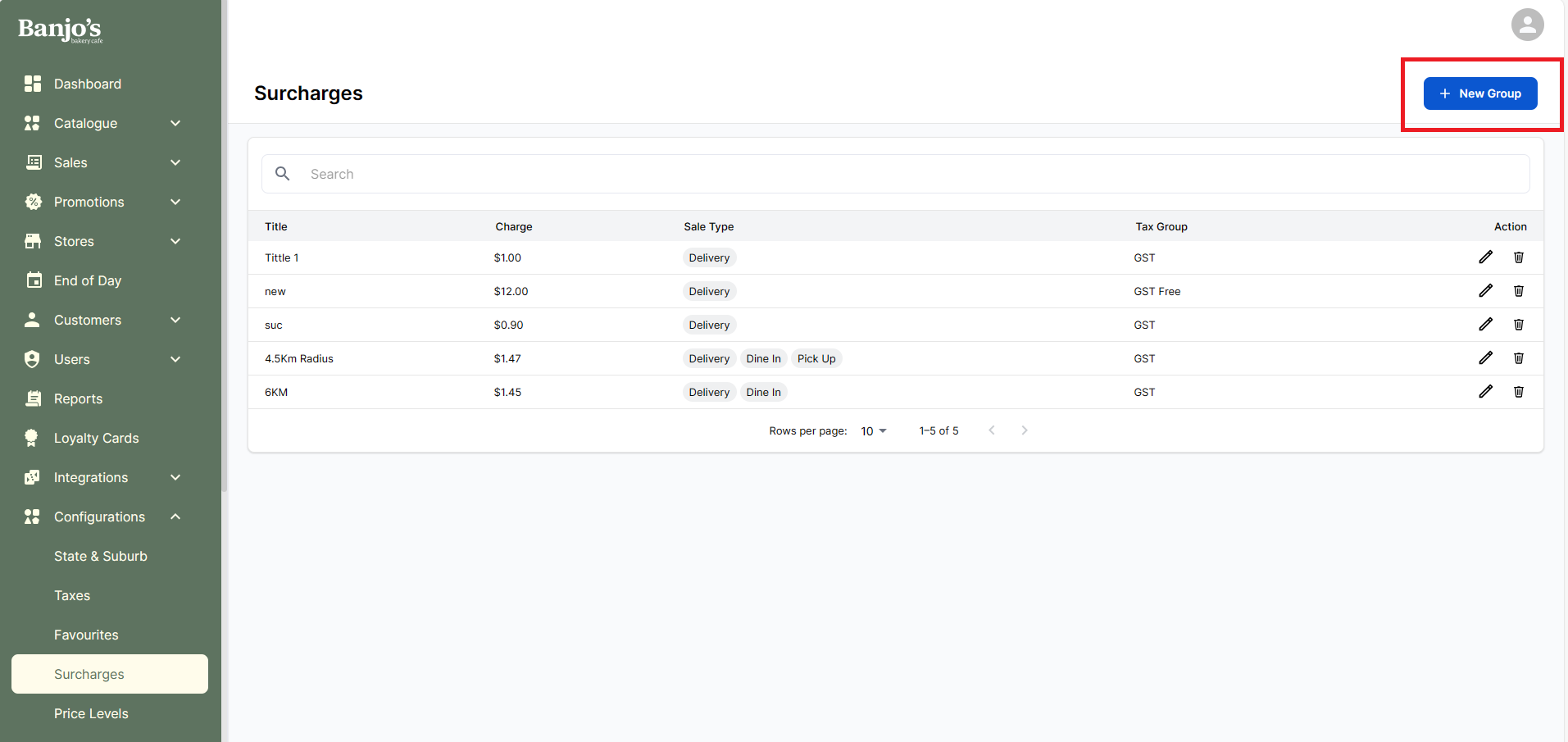
User can view, edit and delete an existing group from admin panel
Surcharges for Public Holidays
We can enable the system to charge an additional percentage-based fee for orders that are placed on days marked as public holiday for the store.
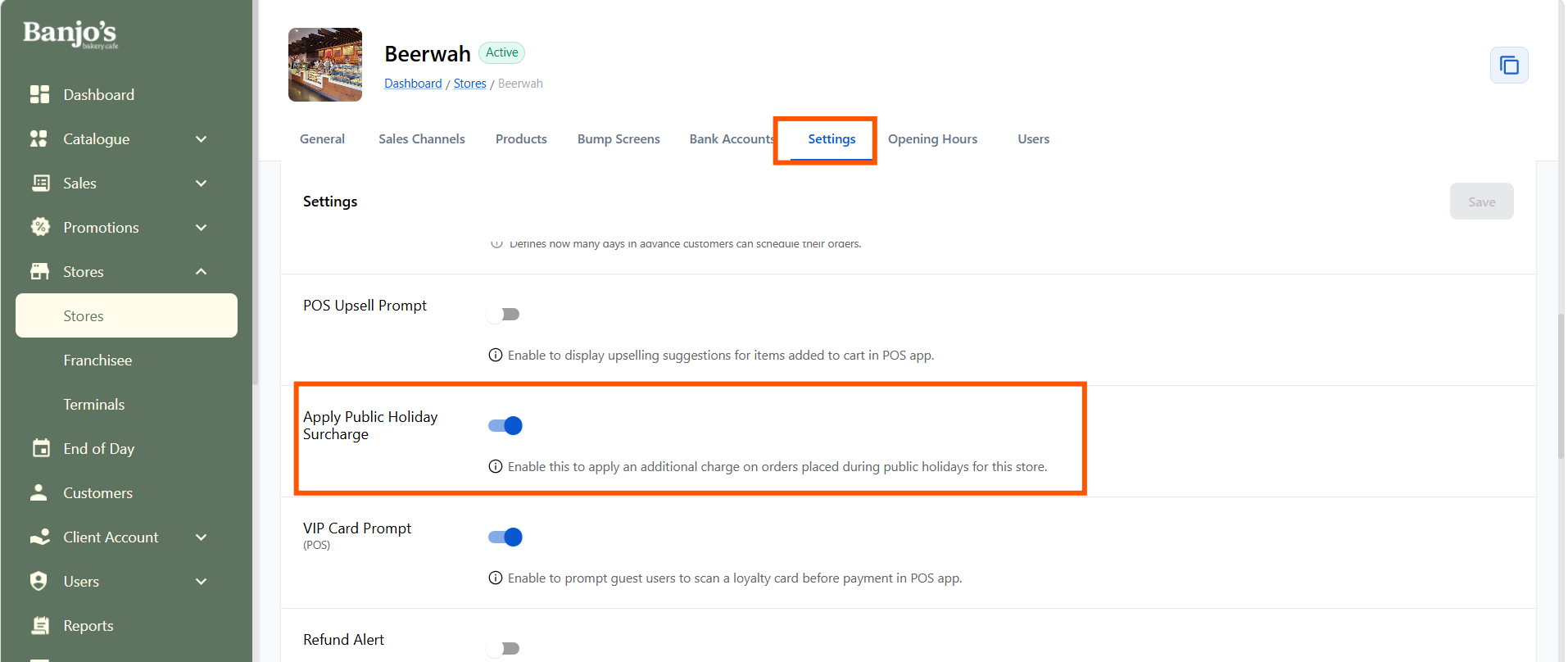
Whether a store should apply this surcharge can vary by store, so we can configure this at store level.
Conditions for the Public Holiday Surcharge to Apply
The Public Holiday surcharge will be added to an order only if all the following conditions are met:
-
Store-level setting: Public Holiday Surcharge is enabled for the store.
-
Create the Public Holiday Surcharge in Super Admin.
 The created surcharge should be such that:
- It has relevant sales channels, and sale types added.
- “Apply Only on Public Holidays” is enabled for this surcharge.
- “Auto Apply to In-Store Orders” is enabled for that surcharge, if the surcharge should be auto-applied for POS/in-store orders. For POS orders, if Auto Apply is disabled, staff can manually apply the surcharge (like how delivery fees are applied today).
- The selected order date is a public holiday for the store, as configured in: Super Admin → Stores → Opening Hours → Public Holiday Settings
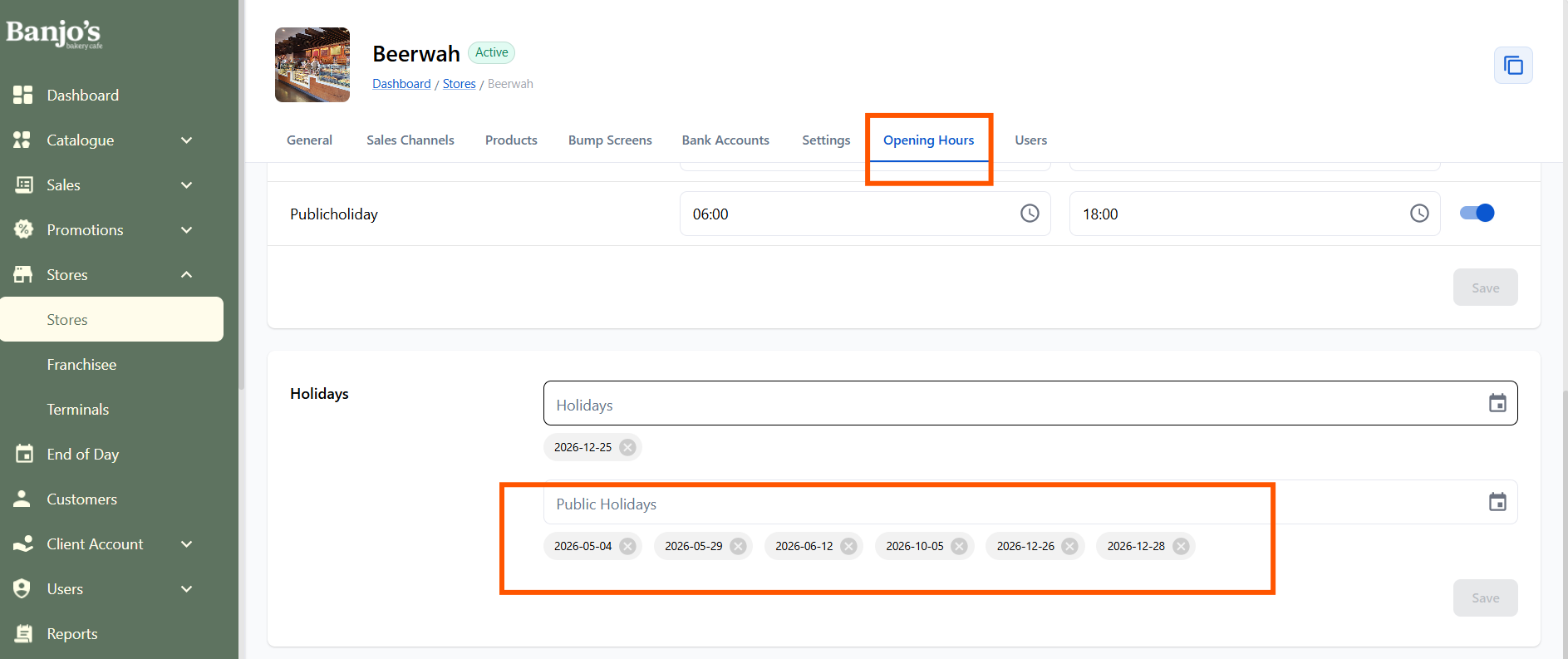
When Should the Surcharge Be Applied?
a. Orders for the Current Day
If an order is placed through POS or Online Ordering for today, and today is a public holiday, apply the surcharge.
b. Future Dated Orders (POS In-Store or Online Ordering)
If a future order is placed for a future date that is a public holiday, apply for the surcharge.
If today is a public holiday, but the future date for which the order is placed is not, then do NOT charge the surcharge.
Gift Card & Surcharge Calculation
When a gift card purchase is part of an order, the gift card amount will be excluded from surcharge calculations.
Percentage-Based Surcharge: * If the cart includes a gift card, the gift card amount will be excluded from the surcharge calculation.
Fixed Amount Surcharge: If the cart contains: * If the cart contains only a gift card → No surcharge will be applied * If the cart contains a gift card along with other products → The fixed surcharge will be applied
💯 100% Discount Orders Handling
If an order has a 100% discount applied:
-
Percentage-based surcharge → ❌ No surcharge applied
-
Fixed amount surcharge → ✅ Surcharge still applied