Orders & Refunds
All orders placed from POS, Online Ordering or third-party sales channels such as Uber Eats and Doordash are listed here with their details. Users can view, send, print, and export invoices from the order list.
Orders
All Orders
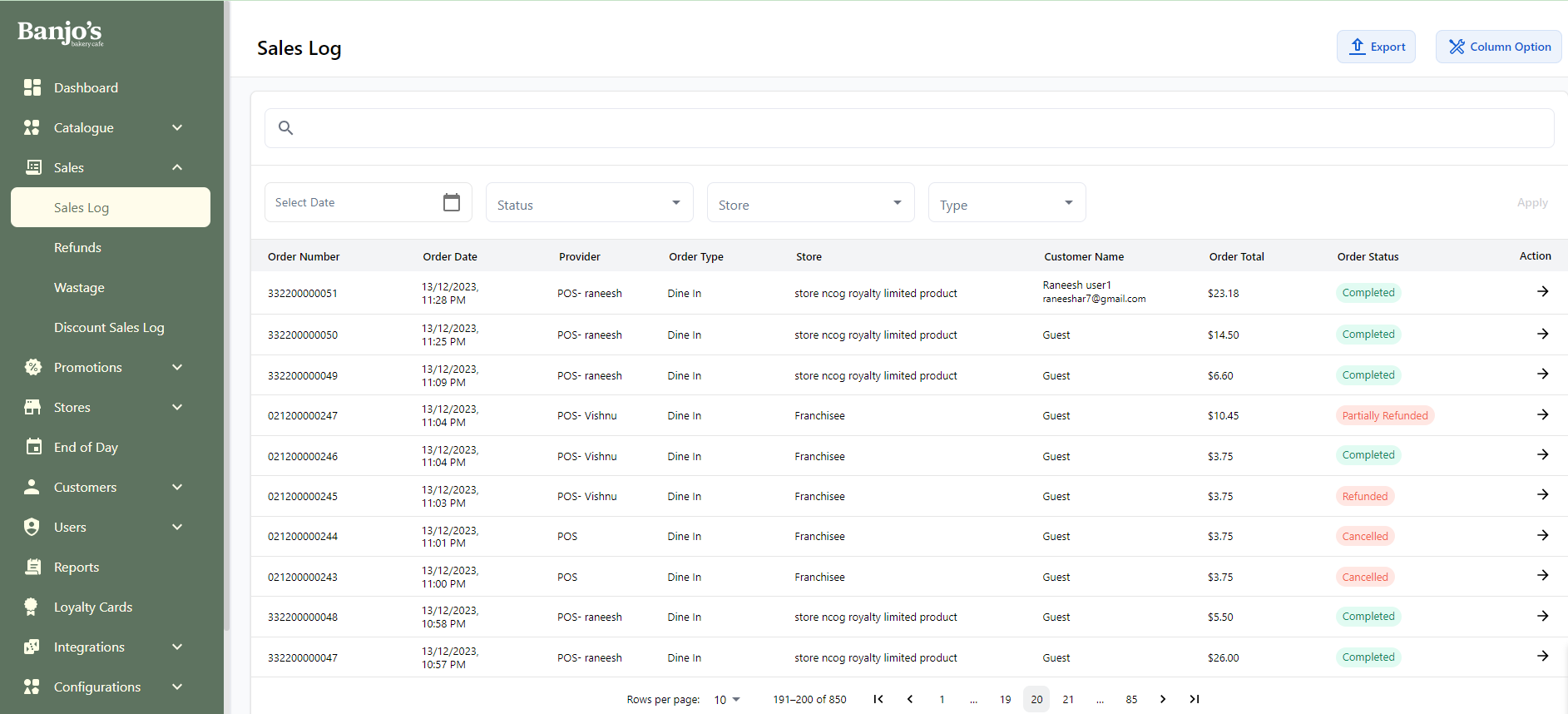
| Order Number | Unique number used to identify the order. |
| Provider | Source of the order, such as POS, Online, Menulog, Uber Eats, etc. |
| Order Type | Type of sale: Dine In, Takeaway, Drive Thru, or Delivery. |
| Store | Store from which the order was placed. |
| Customer Name | Name of the customer who placed the order. |
| Order Total | Total amount of the order. |
| Order Status | Completed: Order executed and payment completed. Refunded: Order fully refunded. Partial Refunded: Order partially refunded. On Hold: Order is on hold in the POS app. Cancelled: Held order was cancelled from the POS app. Processing Payment: Payment has been initiated but not completed. |
| Discount Amount | Discount applied to the order. |
| Payment Media | Payment method used for the order, such as cash, points, Stripe, etc. |
| Terminal Name | Name of the terminal that placed the order. |
Order Detail
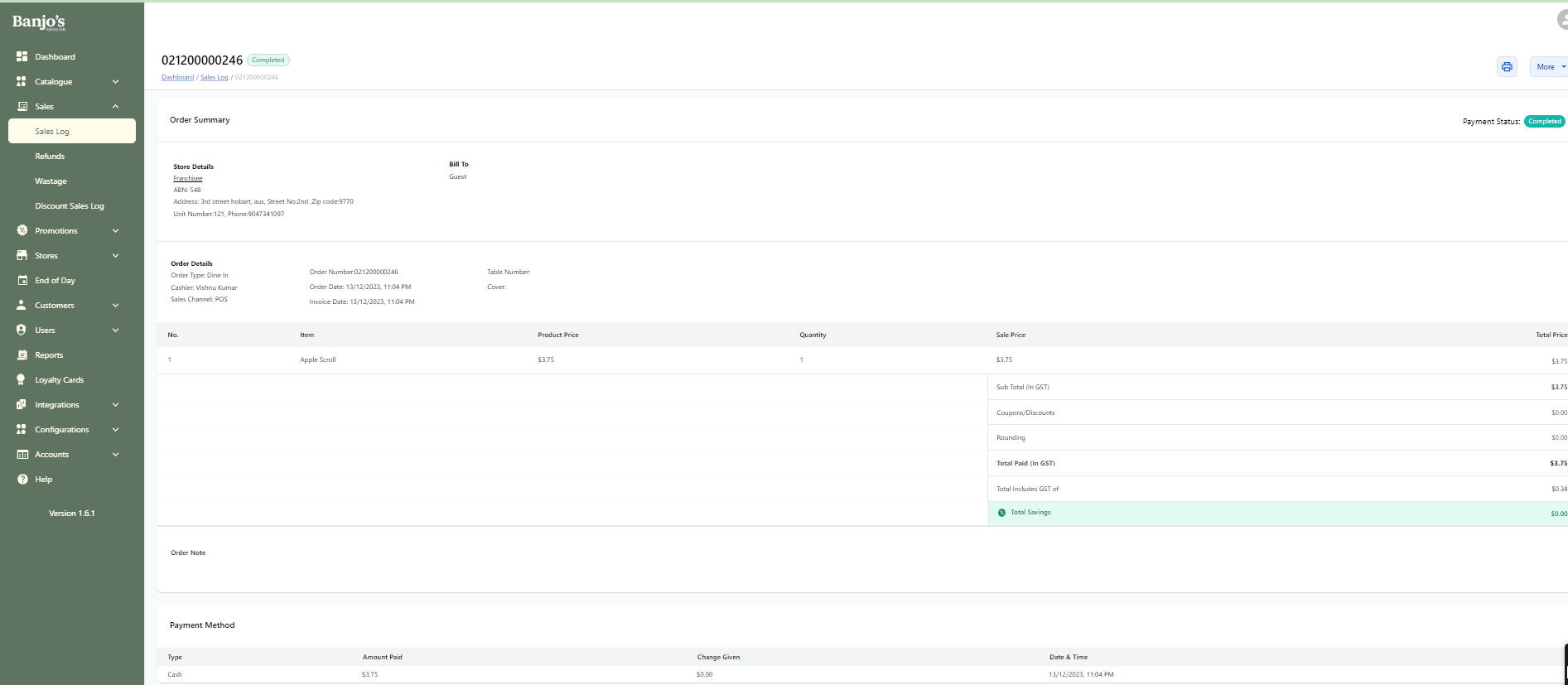 The order detail page provides a complete overview of each order. From here you can:
- View the order number, customer information, order total, and status.
- Check the payment status and payment method.
- Process refunds for eligible online orders.
- Review transaction details for the selected order.
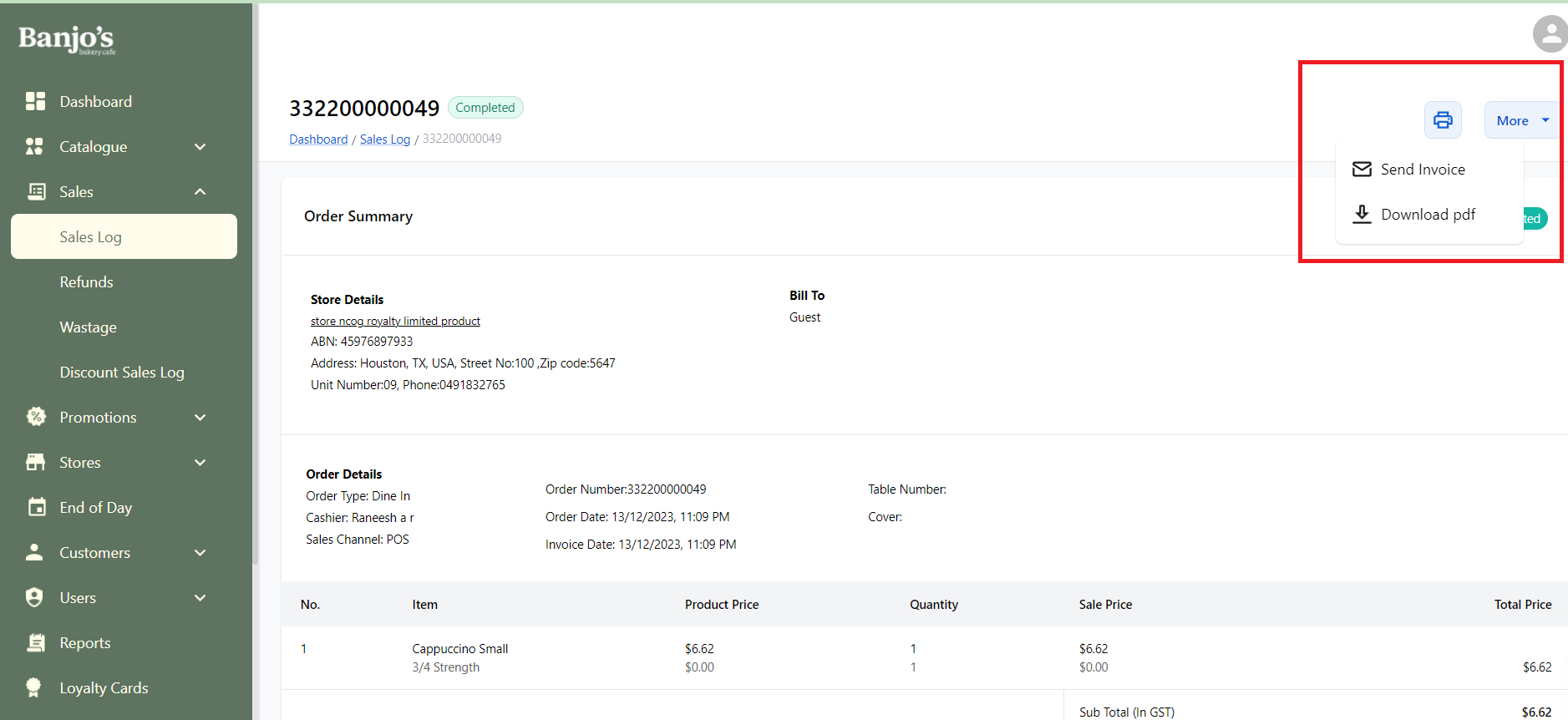
- Send the invoice by email, download it as a PDF, or print it directly.
The order detail page provides a complete overview of each order. From here you can:
- View the order number, customer information, order total, and status.
- Check the payment status and payment method.
- Process refunds for eligible online orders.
- Review transaction details for the selected order.
- Send the invoice by email, download it as a PDF, or print it directly.
Refund
All Refunds
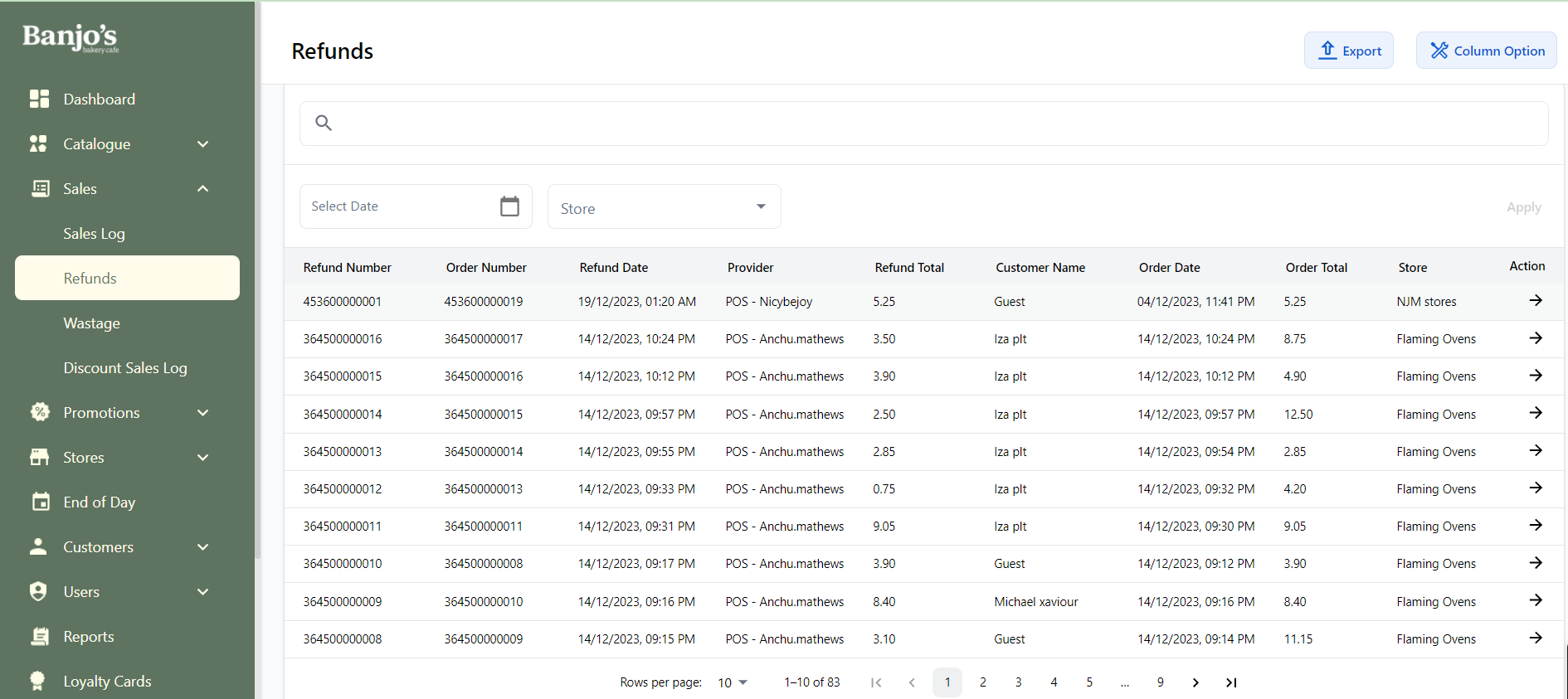
The refund list shows every processed refund with key details for tracking and reconciliation.
| Refund Number | Unique number to identify the refund. | |||
| Refund Date | Date when the refund was processed. | |||
| Provider | Source of the original order, such as POS, Online, Menulog, Uber Eats, etc. | |||
| Refund Total | Total amount refunded. | |||
| Customer Name | Name of the customer associated with the refund. | |||
| Order Date | Date when the original order was placed. | |||
| Order Total | Total amount of the original order. | |||
| Store | Store from which the order was placed. | |||
| Payment Status | The payment status of the refund ie the refund is actually done or pending or failed. | |||
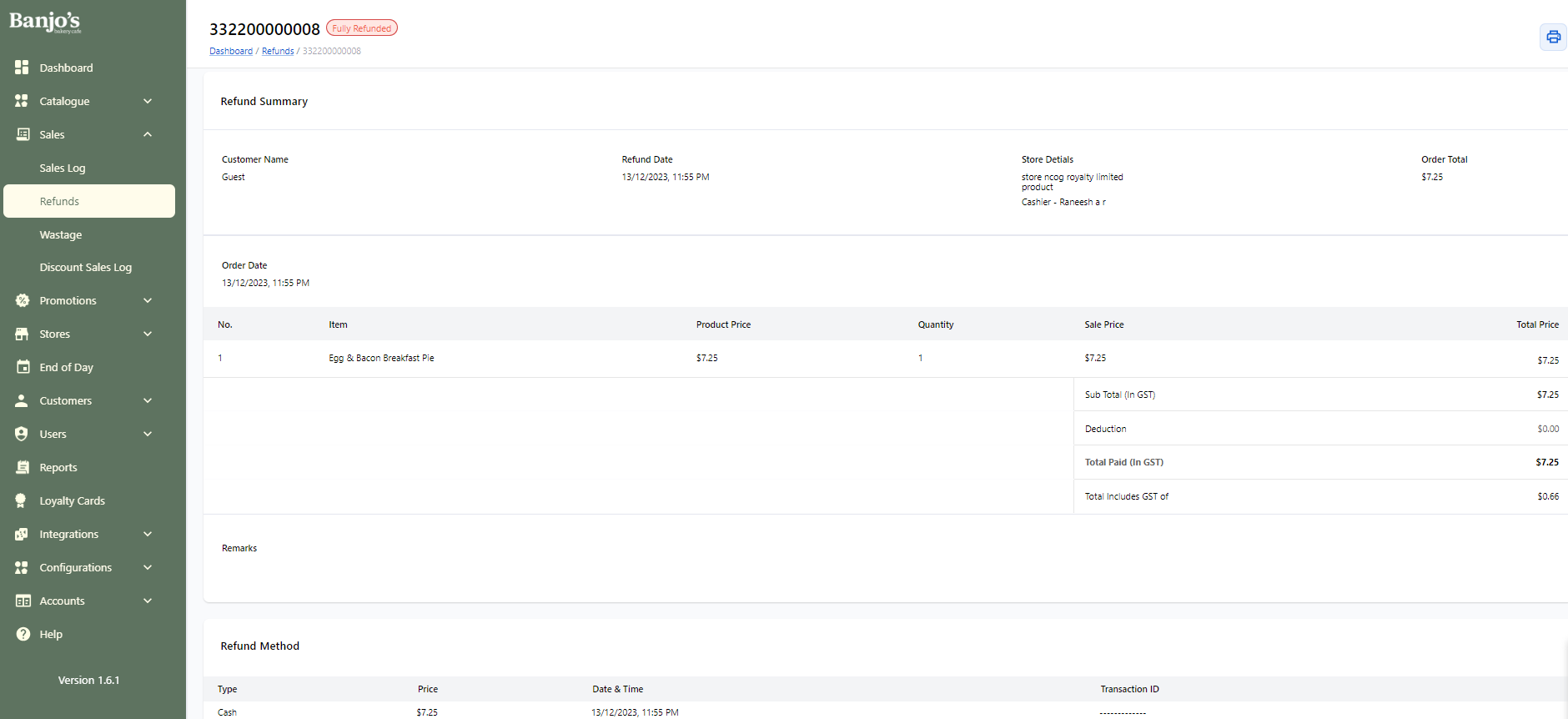
Refund Detail
View the full refund details, including refund amount, original order information, and refund status.